web · MIT
Manzat
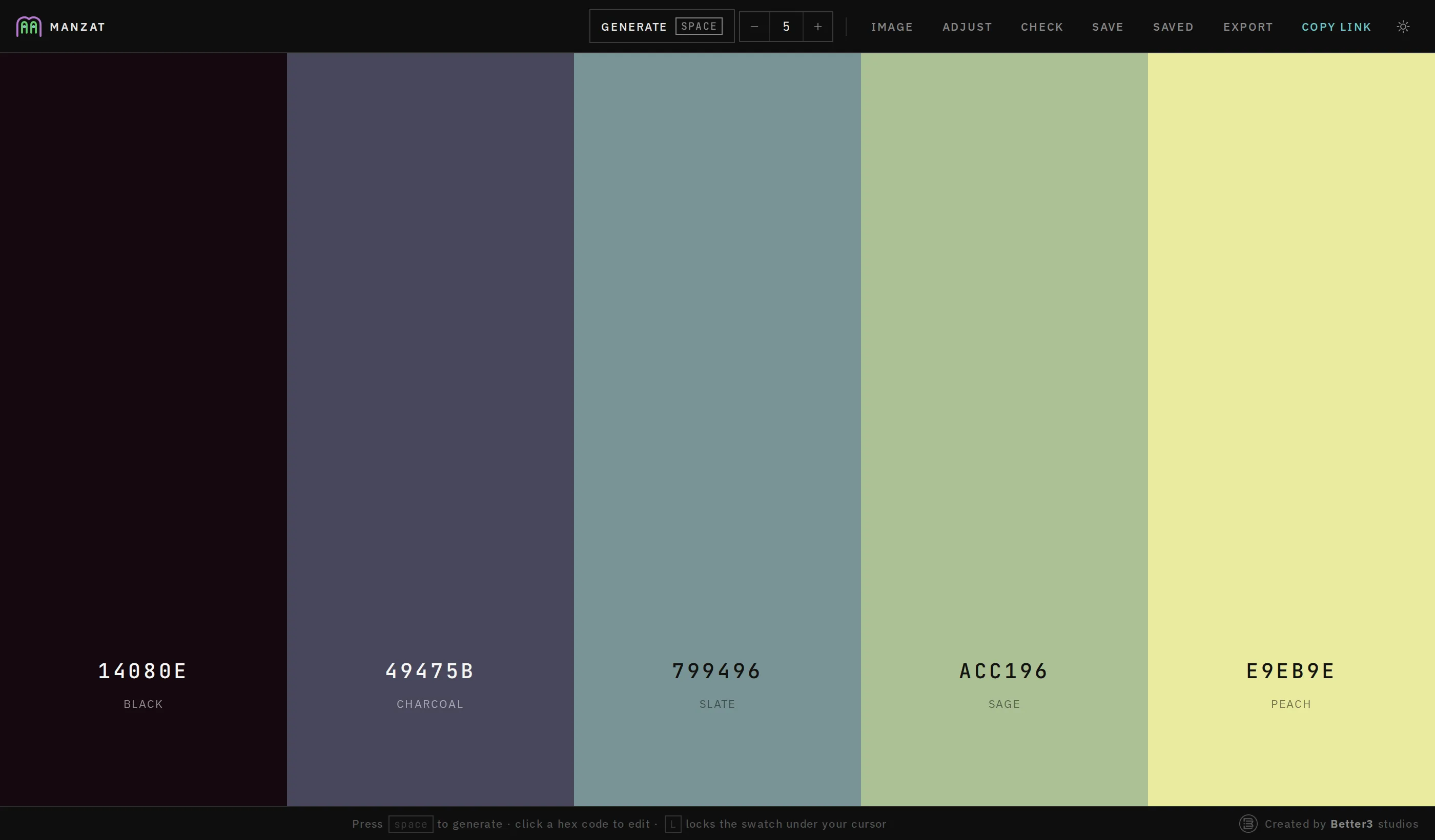
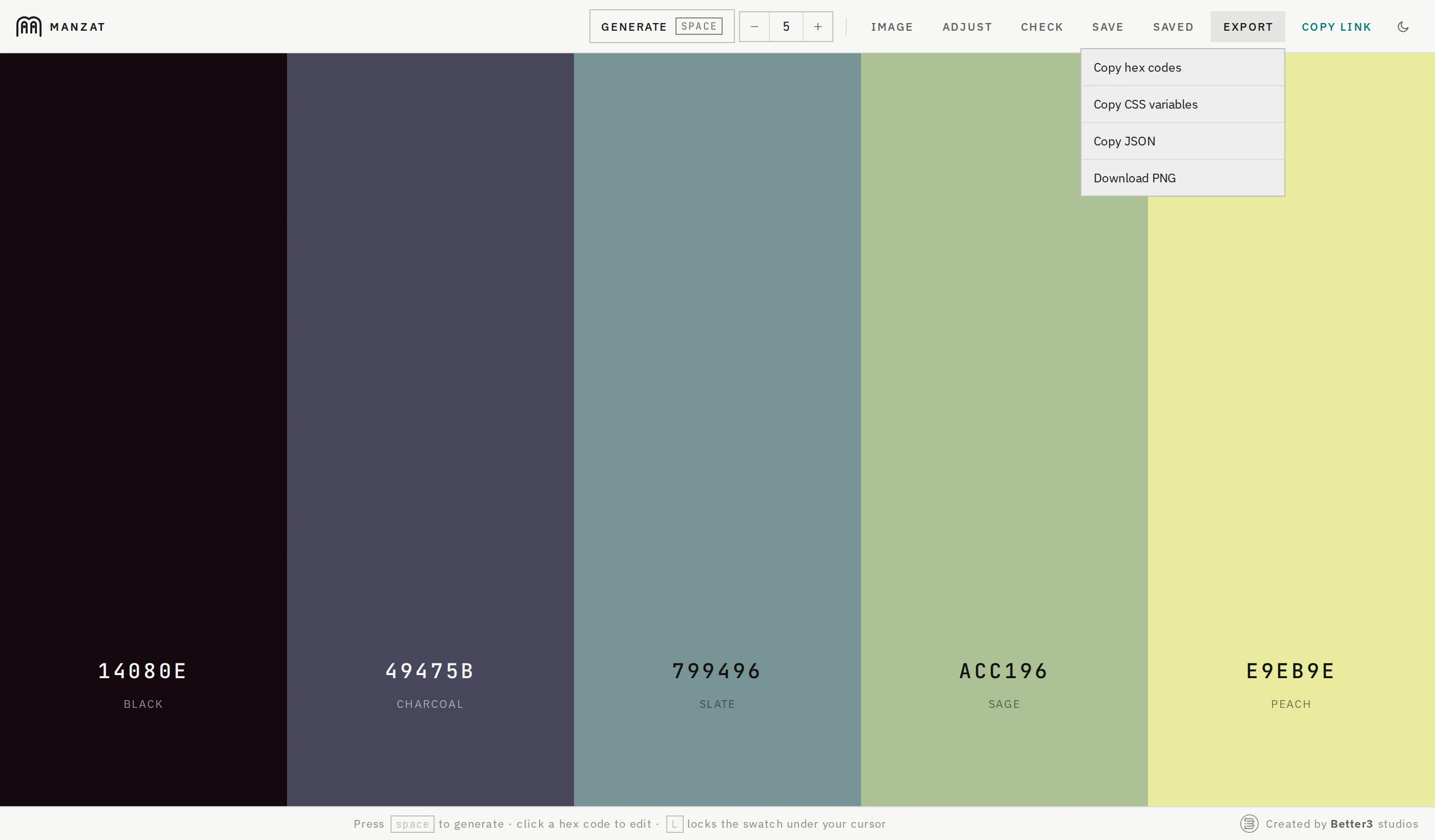
A colour-palette generator in the browser. Build a palette, check it on light and dark, hand it over as a single link.
live at manzat.eu · one html file · no dependencies
Why it exists
Every project we ship needs a palette, and every palette needs to reach the people who use it: a client, a collaborator, a designer who will not install anything. The tools that do this well want an account, a subscription, or a build step. Manzat is the part we actually used, rebuilt as one HTML file that runs from disk, with the one feature that matters most for handover: the palette is the link.
It is styled after the SciFlow design language, square corners, hairline rules, IBM Plex Sans and JetBrains Mono, in matching dark and light themes.
What it does
| action | how |
|---|---|
| new palette | Generate, or press Space |
| lock a colour | the padlock on the swatch, or L with the cursor over it |
| edit a colour | click its hex; hex, RGB and HSL fields stay in sync |
| reorder | drag the grip, or focus it and use ← / → |
| how many colours | type a number in the toolbar, 2 to 16 |
| extract from a photo | Image, then drop or browse for a file |
| label a colour | click the name under its hex; the label becomes the legend when saved |
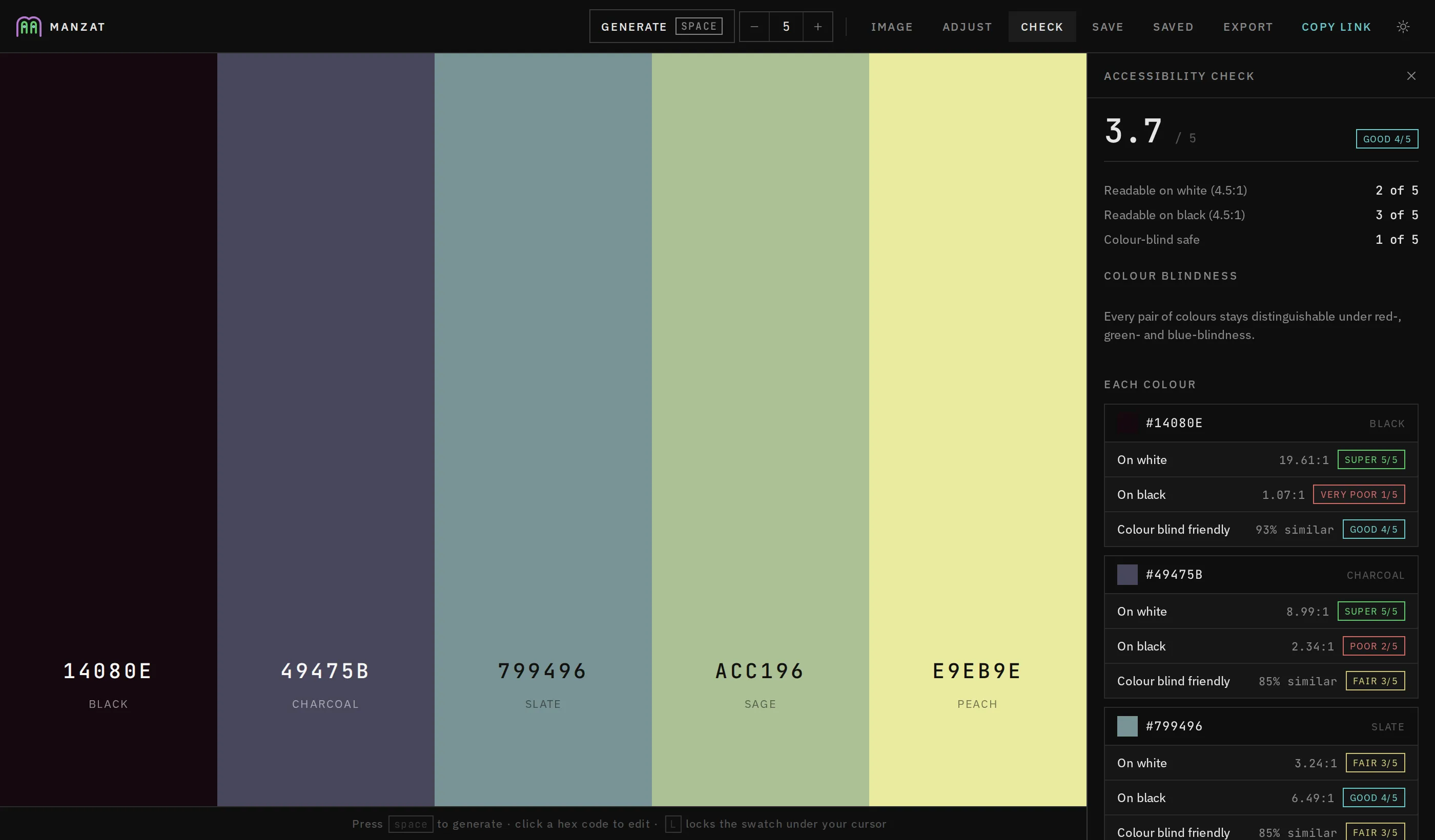
| check it | Check: contrast on white and black, colour-blind safety, a score out of five |
| adjust the whole palette | Adjust: hue, saturation, brightness, temperature, with a live before/after split |
| send to a client | Copy link; the palette is encoded in the URL itself |
| hand off assets | Export: hex codes, CSS variables, JSON, or a PNG board |
Locking is what makes regeneration useful. Pin the colours you have settled on and the rest are rebuilt in harmony with them, not at random.
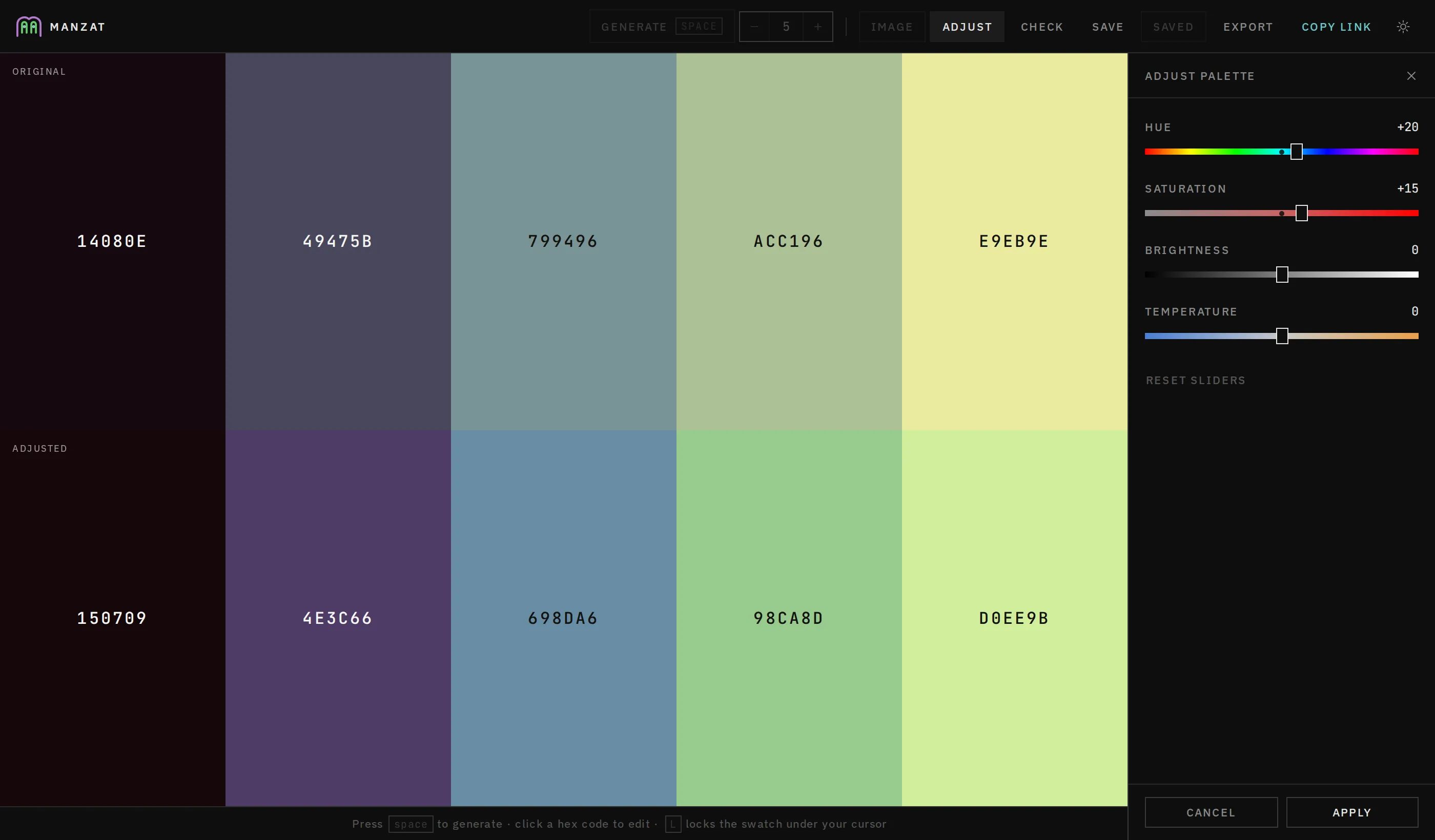
Saturation and brightness move proportionally rather than by adding percentage points. Adding points crushes mid-tones to near-black well before the slider bottoms out and pins every saturated colour at 100 % near the top, flattening the differences that make a palette a palette. The proportional curve keeps those relationships intact across the full travel.
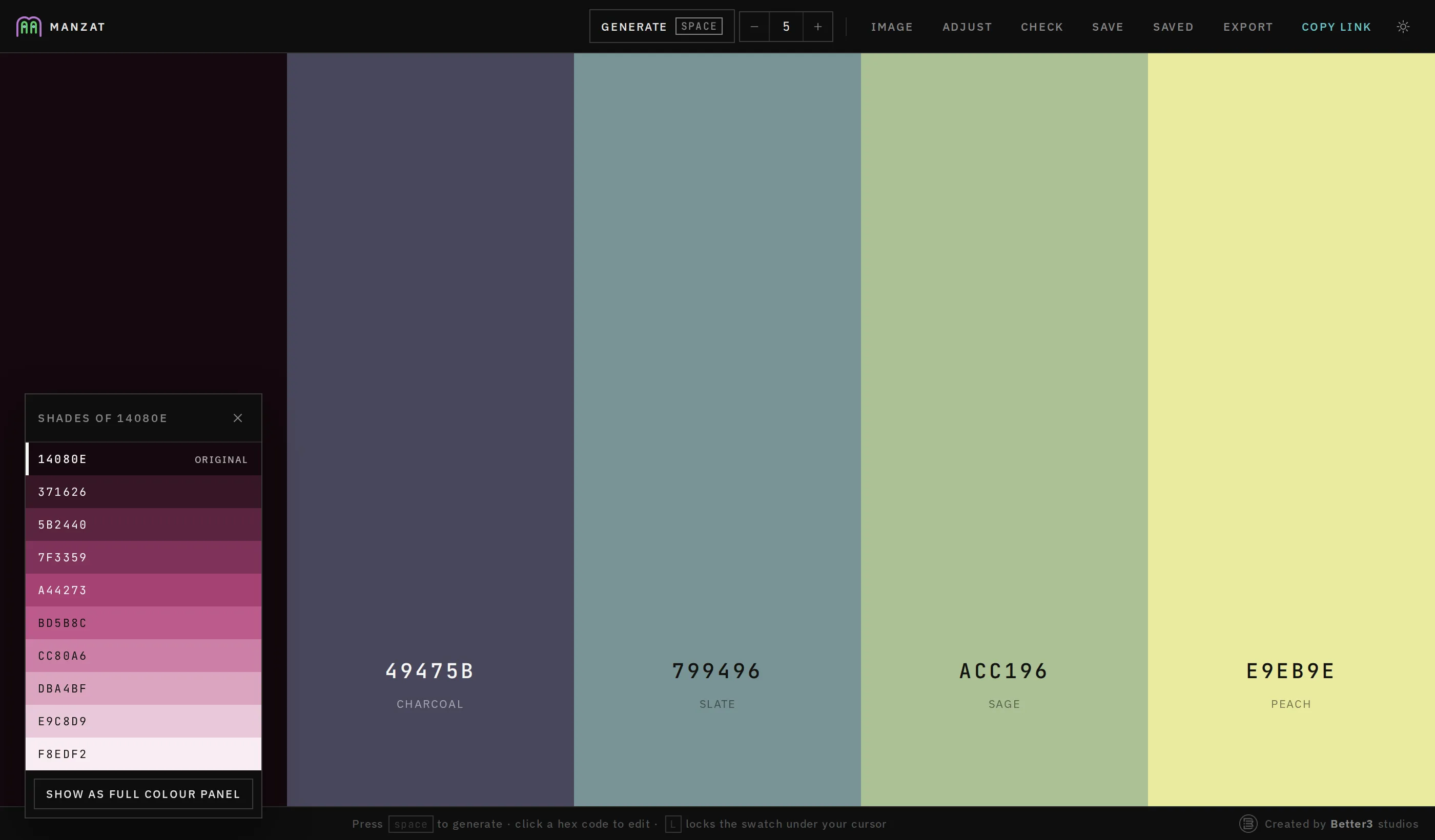
Each swatch also carries three tools for branching off the colour under it: shades, a strip from near-black to near-white with the clicked colour marked at its own lightness; tonal palette, which rebuilds the palette as tones of that one colour; and new palette around this, which keeps the colour exactly where it is and rebuilds everything else in harmony with it.
Try it
Manzat runs at manzat.eu ↗. Open this palette and press space.
How it works
Generation happens in HSL, not by picking random hex values. Each press chooses a colour-theory scheme, analogous, complementary, triadic, split complementary, monochrome or accented, and lays its hue offsets over a lightness ramp, so a palette reads as intentional. A locked swatch becomes the base hue everything else is built from.
Design decisions
- The link is the palette. Sharing needs no server and no account; the legend is deliberately kept out of the URL so it stays short.
- Classic scripts, not modules. Browsers refuse to load modules over file://, and running from disk was the point.
- Labels name roles, not colours. Mark a slot Accent and it stays Accent through as many regenerations as you like.
- Storage is optional. Every localStorage call is guarded; with storage blocked the app still runs and Save reports the failure.
What is not done
Saved palettes live in this browser on this machine; there is no sync. Image extraction returns the dominant colours, not a designed palette; lock the ones you like and regenerate the rest.