desktop · v0.1.1 · MIT
Phylo3s
A phylogenetic tree viewer and annotator. Upload a tree, annotate it in the app, export a publication figure. Desktop or self-hosted, same code.
released · v0.1.1 · macOS build pending
Why it exists
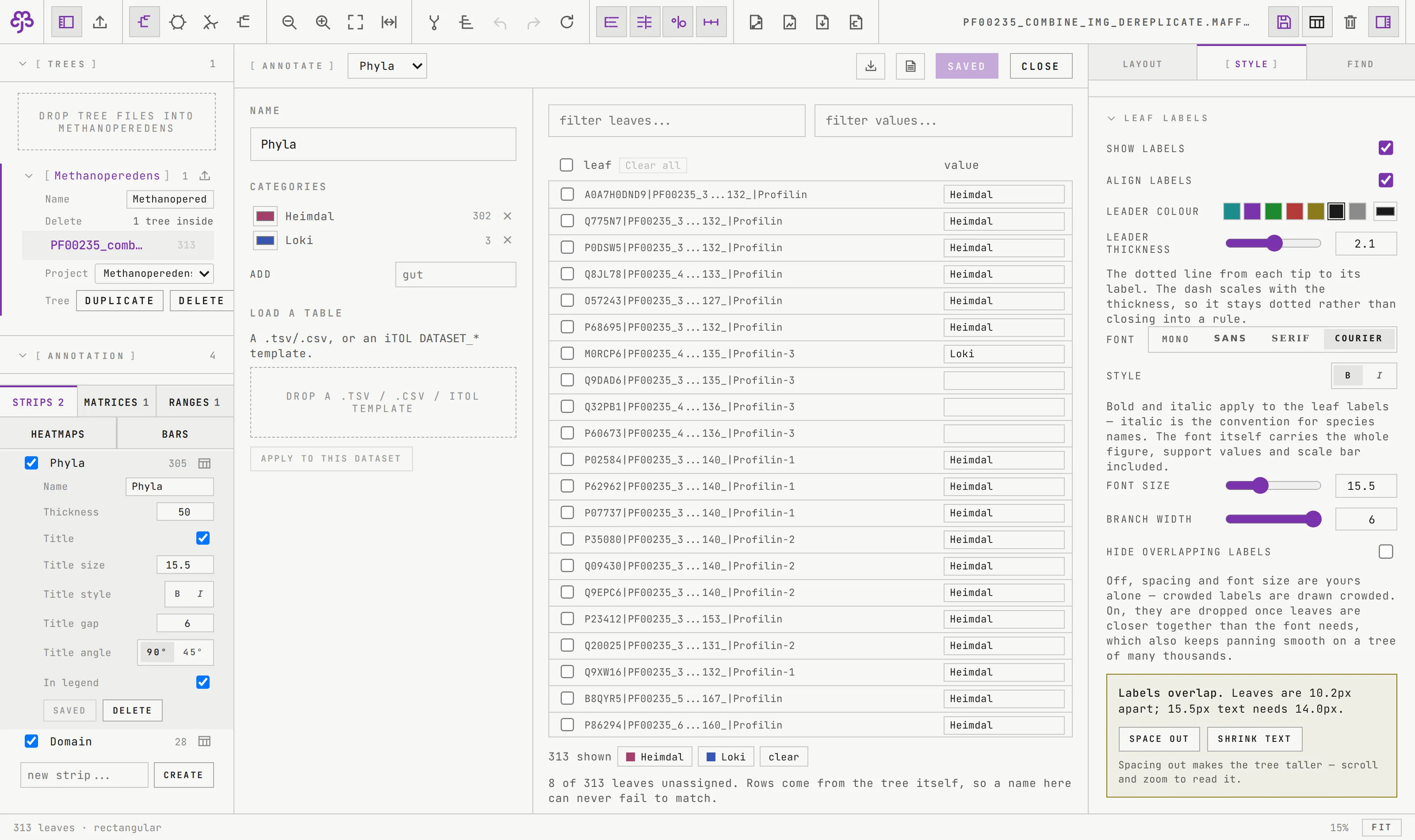
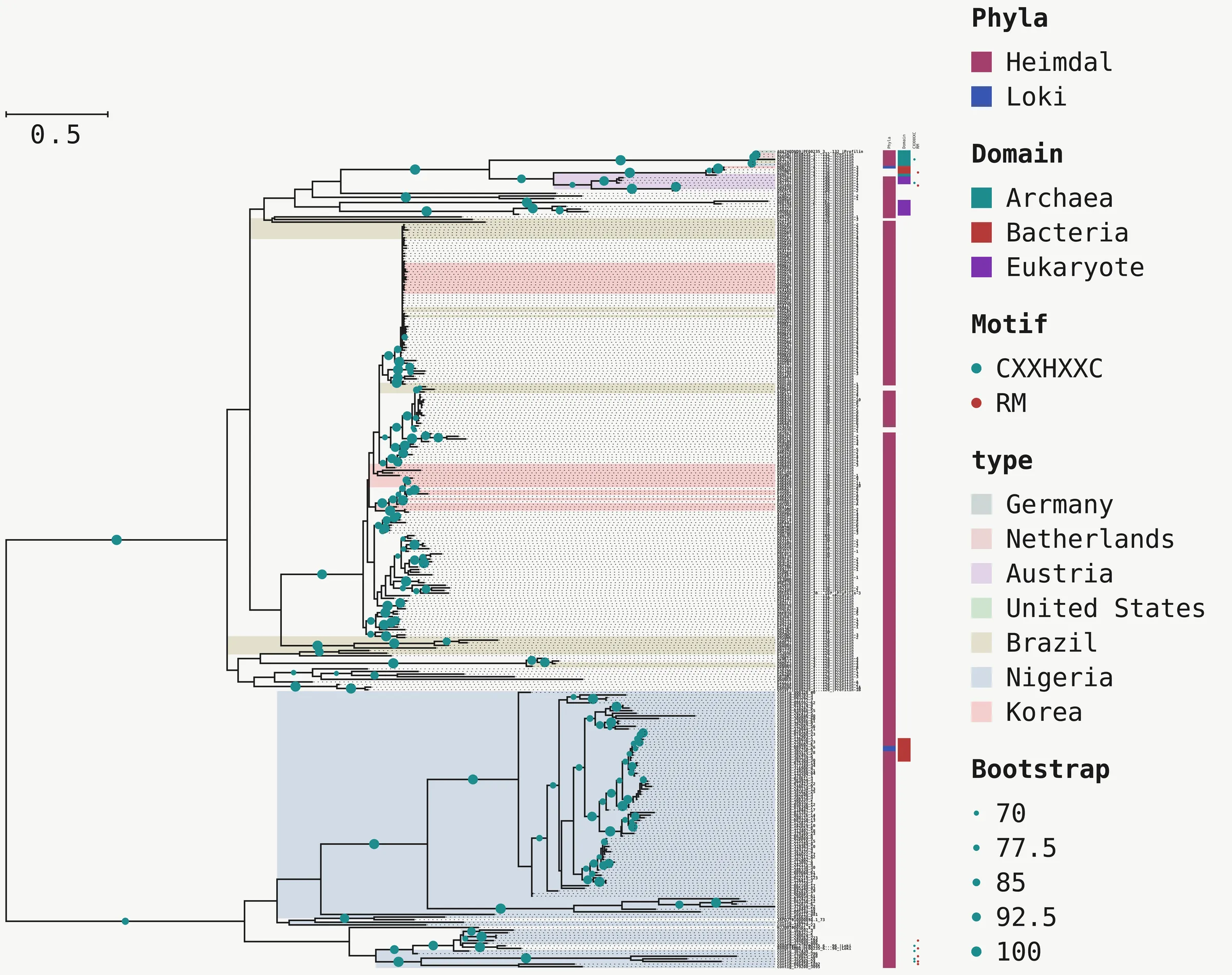
Annotating a tree for a paper usually means a spreadsheet: a column of leaf names copied out of the tree, a column of categories typed next to them, saved as a template, uploaded to a web service, and repeated every time a name is wrong or a clade moves. Phylo3s was built for one lab that was tired of that loop. The difference is structural: the app already knows every leaf name, so the annotation table is made in the app, by right-clicking a clade, by filtering, or a cell at a time. Two actions annotated 309 of the 313 leaves in the reference tree.
It runs two ways from one codebase: as an offline desktop application installed from a single file, and as a self-hosted web app on a server. The figure is drawn by the same code in both.
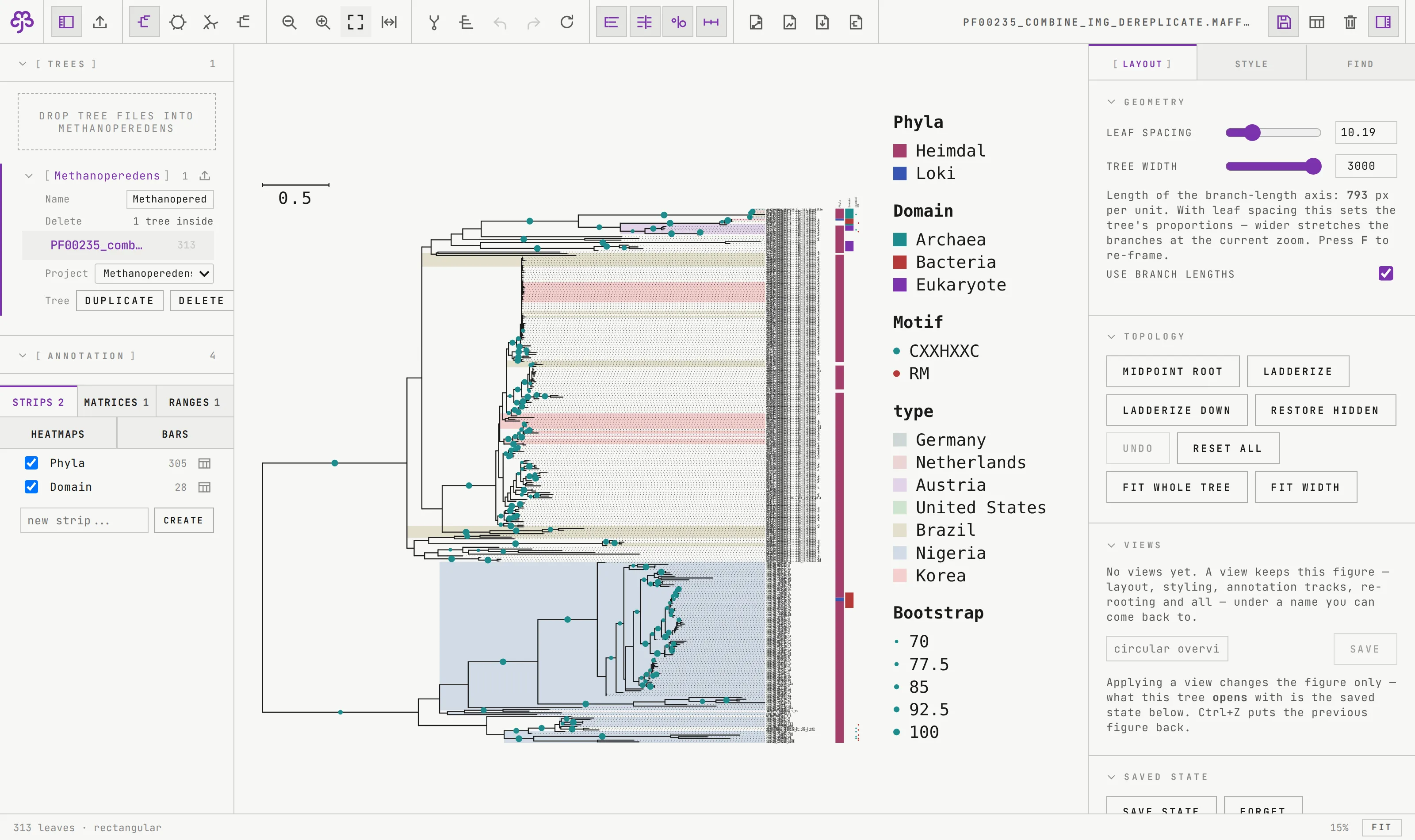
What it does
| upload | Newick, Nexus, PhyloXML and jplace, with MrBayes and NHX metadata; parsed once, server-side |
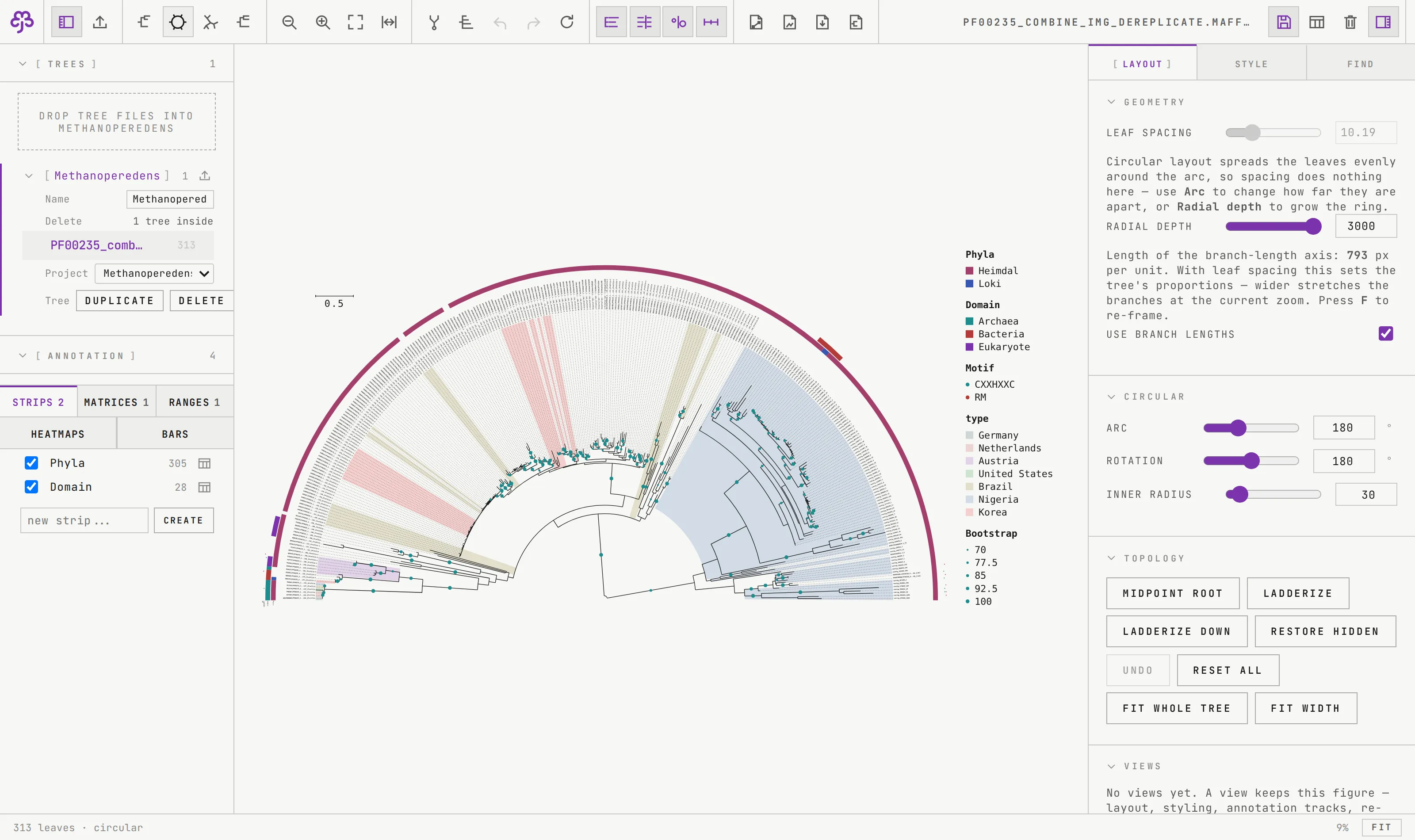
| render | rectangular, circular and unrooted; phylogram or cladogram; interactive at 10,000 leaves |
| interact | pan, zoom to cursor, click to select, right-click for root-here, collapse, prune; leaf search with highlighting |
| topology | re-root anywhere, midpoint root, ladderize, restore; 25 steps of undo, annotation edits included |
| annotate | colour strips, presence/absence matrices, clade ranges, heatmaps, bar charts; built in the app or loaded from a table |
| interoperate | iTOL DATASET_* templates load and save for all five kinds; a dataset written out and loaded back draws the identical figure |
| support values | a dot sized across a chosen range, or the number itself; detected as bootstrap or posterior probability and named so in the legend |
| export | SVG, PNG at 300 dpi, vector PDF, all from the same command list the screen uses |
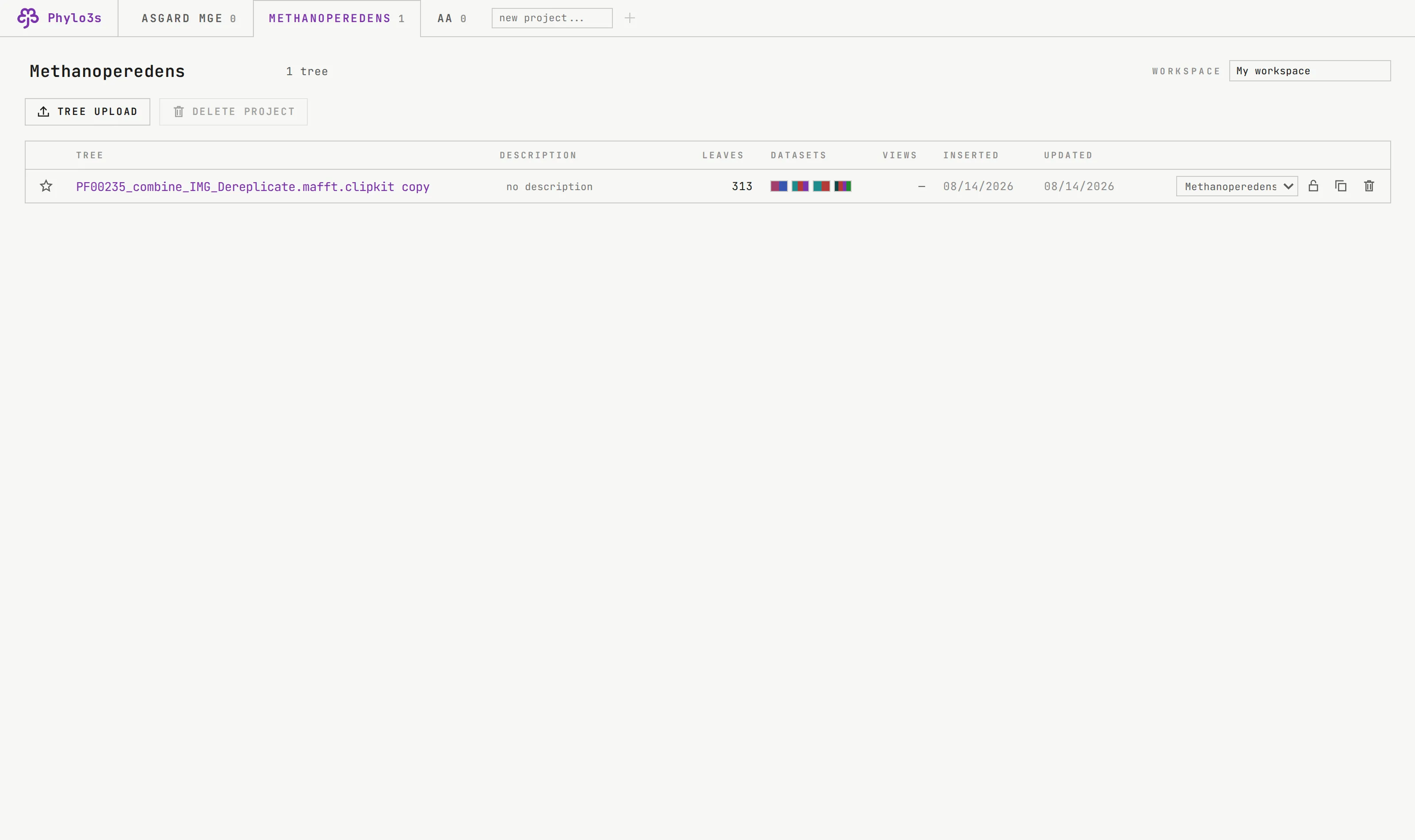
| keep | saved state per tree, named views, projects and workspaces |
Annotation, made in the app
This is the part that sets the tool apart. Annotation lives in the left rail under the trees, because it is a subject of the tree rather than a control for the figure. The table itself opens over the canvas, where there is room for thirty rows at once.
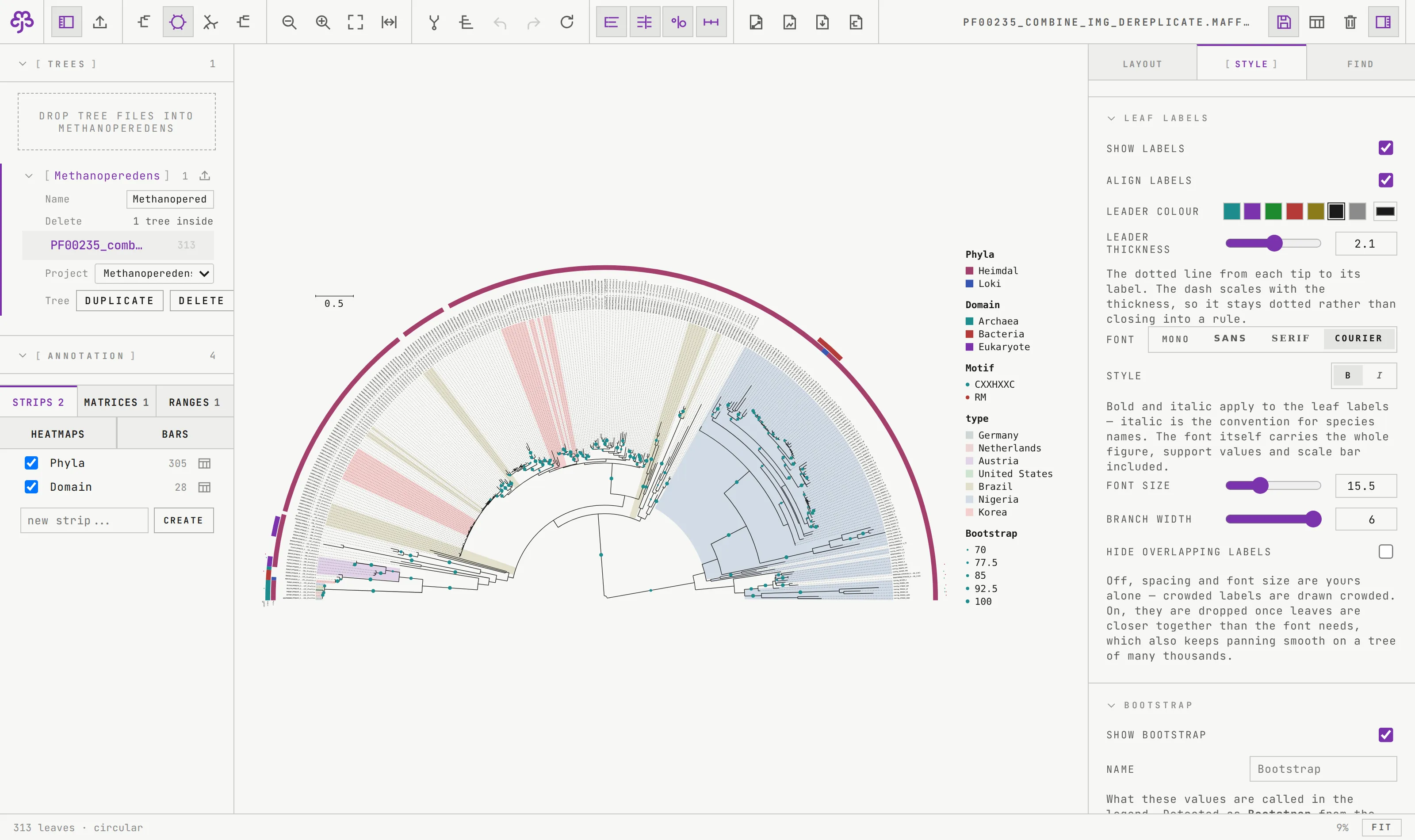
What it exports
Install
Each installer carries its own Python, API, browser engine, interface and print typefaces. The machine needs no Python, no Node and no internet.
Design decisions
- The table is made in the app. That is the whole reason this exists rather than being a skin over iTOL.
- One command list. Screen, SVG, PNG and PDF are the same figure, so what you see is what prints.
- Undo covers everything. Re-rooting, ladderizing and marking a clade share one stack; the button’s tooltip names the step it will take back.
- Nothing fetched. The interface font is vendored; a check asserts every request the page makes is same-origin.
What is not done
No macOS build yet: it needs a Mac to build on. DATASET_TEXT, DATASET_PIECHART and the iTOL label, collapse and prune files are refused by name, because a kind the renderer cannot draw must not be stored.